
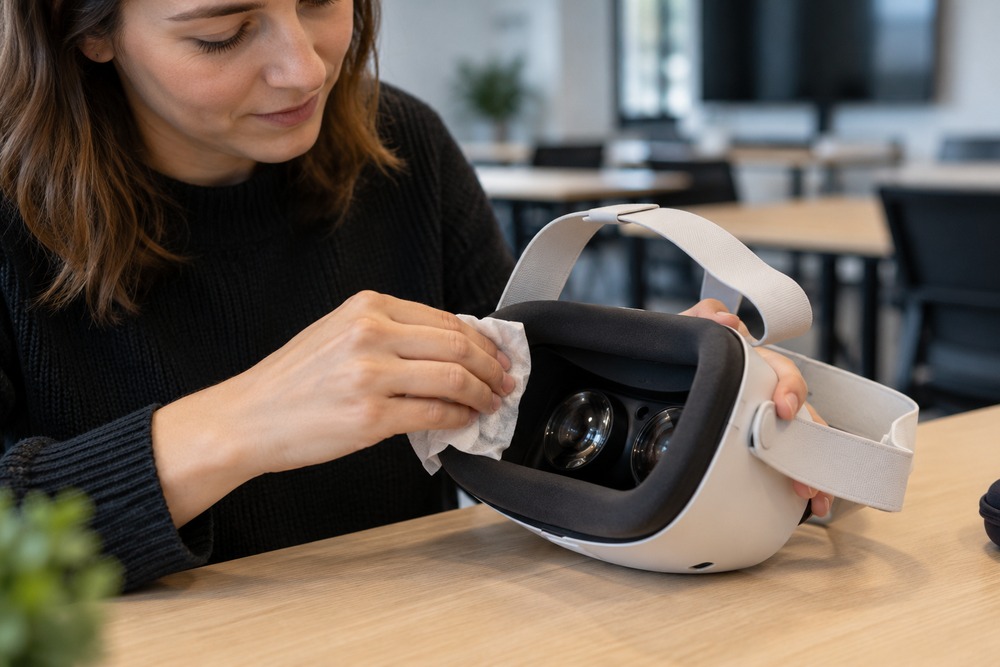
Quick answer: before buying a refurbished VR headset, check that the exact model still runs the application you need, that it is still supported by the manufacturer, that every part works, and that the seller offers a warranty and returns. A cheaper headset is only good value if it can actually deliver your training or experience reliably.
Confirm the exact model and software support
An advert that simply says “VR headset” is not enough. Ask for the exact make, model and storage size, then check it against the application you plan to use.
- Does the training app or experience list this model as supported?
- Is the headset still receiving software and security updates from the manufacturer?
- Does it need a personal or business account to set up, and can that account be transferred to you?
- Has the device been fully reset and removed from the previous owner’s account?
Older headsets can stop receiving updates, and some apps drop support for them. Check current manufacturer information before you buy, not after.
Inspect the equipment properly
A photograph will not tell you whether everything works. Use the seller’s inspection or return process to check each part:
- Lenses: look for scratches, marks or haze that could affect clarity.
- Straps and face cushion: check for wear, and plan to replace the face interface for hygiene in shared use.
- Controllers: test buttons, triggers and tracking, and check the battery covers.
- Charging: confirm the charging port works and that the battery holds a reasonable charge.
- Tracking: make sure the headset tracks smoothly in a normal room.
Ask which parts have been replaced and whether the battery has been tested. Rechargeable batteries wear over time, and that affects how long a training session can run.
Compare the full cost, not just the price
Put the refurbished offer side by side with a new device. Include:
- Warranty length and what it covers
- Returns period and who pays for return delivery
- Missing accessories, such as chargers, cables or cases
- Replacement face cushions and lens cleaning supplies
- Time needed to set up, update and prepare each device
If you need several headsets for group sessions, consistency matters. A mix of conditions and battery health across devices can make sessions harder to run.
Plan how the headsets will be used
Think about how many people will use each device, how they will be cleaned between users, where they will be charged and stored, and who will look after updates. These practical points apply whether the headset is new or refurbished, but they are easy to overlook when the focus is on price.
How High5VR can help
High5VR can discuss which devices suit your project and what the application needs to run well. The seller’s condition report, warranty and commercial terms still need to be confirmed directly with the seller.
Common mistakes to avoid
- Buying several headsets at once before testing one with your application.
- Forgetting to check that the previous owner’s account has been removed.
- Assuming the battery is fine because the headset turns on.
Frequently asked questions
Is a refurbished VR headset good enough for business training?
It can be, if the model supports your application, works fully and comes with suitable warranty and returns. Check each point before you commit.
What should a refurbished headset come with?
At least the headset, controllers, charger and cable. Ask for a written note of its condition, any replaced parts and the warranty terms.
Can one old headset hold back a project?
Yes. If one device cannot run the latest version of the app, or its battery drains quickly, it can slow down group sessions.
Contact High5VR to discuss your project, your audience and the equipment you plan to use.