
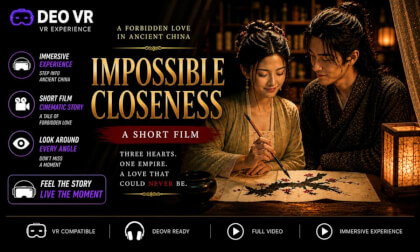
Quick answer: AI-generated video can create striking images quickly, but it cannot yet be relied on to show exact products, readable text, the same character across scenes, or complicated movement consistently. Anything that must be accurate, such as your real product, your premises or a real person, usually needs conventional filming, controlled animation or careful human review.
What AI video struggles with
- Exact products: logos, buttons, shapes and colours can change from one frame or clip to the next.
- Readable text: signs, labels and screens often come out as nonsense or misspelled words.
- Consistent characters: a person’s face, clothing or hair may shift between scenes.
- Hands and complex movement: fingers, tools and detailed actions can look wrong.
- Physics: objects may move, bend or interact in unrealistic ways.
- Real places: it cannot accurately show your actual building or site without real footage.
- Specific facts: it may invent details that look convincing but are not true.
Why this matters for a business
If an AI clip shows a product that does not look like yours, or a feature it does not have, it could misrepresent your business. Viewers may notice inconsistencies, which can weaken trust in the message. Claims about your business or products should always be checked against approved information, whatever method was used to make the visuals.
Where AI video can work well
- Concept visuals and mood pieces
- Abstract backgrounds and transitions
- Illustrating an idea that does not need to be exact
- Early drafts or storyboards to test an idea
When to use other methods
Where accuracy is essential, conventional footage or controlled animation is usually more suitable. Many productions combine methods, using real filming for the product and people, with AI-generated material for illustrative scenes.
A clip still needs a purpose
Generated material needs to fit into the wider film. Editing, sound and human direction connect images into a clear message. Producing material quickly does not remove the need for review, and does not mean it is ready to publish.
How do we get started?
Tell High5VR which details must stay exact and which elements allow creative interpretation. We can assess the proposed approach and agree review points as part of the production. Read more about our filmmaking work.
A simple review process
- Agree a list of details that must be exact, such as product shape, logo and colours.
- Supply clear reference images of the real product or location.
- Review each generated clip frame by frame for changes and errors.
- Check any text that appears on screen, letter by letter.
- Ask someone who knows the product well to approve the final edit.
- Keep a record of which scenes were generated and which were filmed.
This makes it much less likely that an error reaches your customers, and makes future updates easier.
Frequently asked questions
Can AI video show our actual product?
Not reliably. Real filming or controlled animation is safer for products that must look exactly right.
Is AI video cheaper?
It can be quicker for some scenes, but review and editing still take time. The overall cost depends on the project.
Should we tell viewers AI was used?
Be careful not to present generated scenes as real events. Check any platform rules that apply.
Can AI fix mistakes in real footage?
Some tools can help in editing, but results still need careful checking.
Contact High5VR to discuss your audience, objectives and project scope.